Sonoma 14.4 broke Jump Connect

-
Just in case, I posted some dedupe'd log lines to this gist
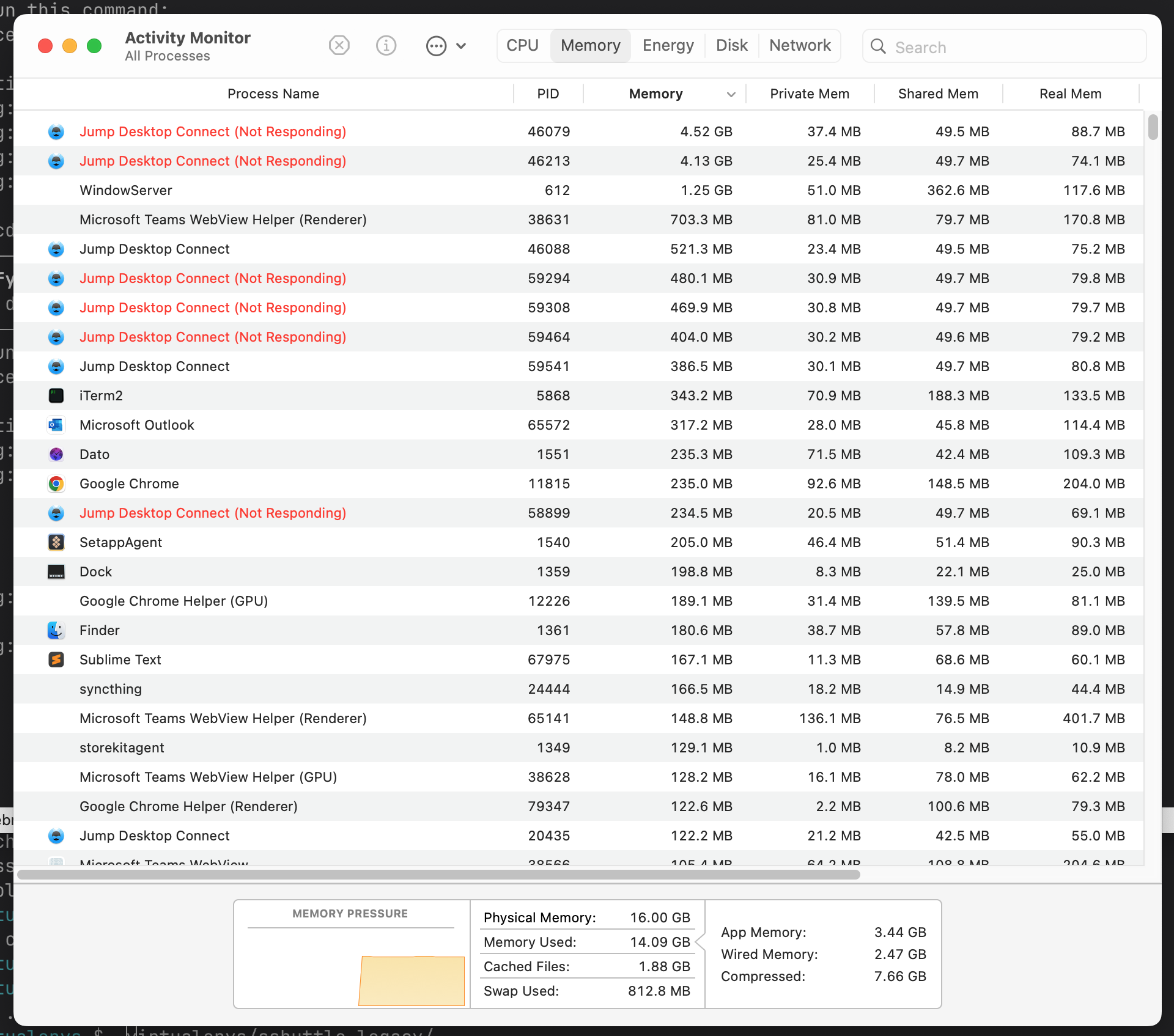
Also, here's a screen shot showing Activity Monitor, obviously something's going on here with all these zombie Jump Desktop Connect processes. And take a look at that RAM usage!
-

I’m seeing the same thing as @luke on my Mac.
In addition, after connecting to a Mac (and releasing), the audio on the Mac was not working anymore, so I checked and noticed the auto output preference was set on the Jump Desktop drivers instead of being released back to the Mac. It looks like the disconnection had failed to properly reset the settings to their original state.
Corentin
-

Hi all,
Thanks for testing it out. We've released Jump Desktop Connect 6.10.23:
https://jumpdesktop.com/downloads/connect/JumpDesktopConnect-6.10.23.dmg
Can you please try it out and let me know if it fixes the issue? Please make sure you're on macOS 14.4 Beta 4 or later.
More information: Since macOS 14.4 Beta 4 has fixed the original issue, we've now reverted back to the Display Stream API in 6.10.23. Clearly, the new implementation that uses ScreenCaptureKit API requires more testing on our side. Our upcoming Jump Desktop Connect 7.x will use the new ScreenCaptureKit apis.
Please sign in to leave a comment.
Comments
33 comments