How do I get a direct connection to a jump desktop host?

I've been experimenting with Jump for a few days. Installed the server/host component on MacOS 15.5, and paid for and installed the client on iPadOS 18.5.
I noted several shortcomings in the iPadOS app in the App Store as a review. One such shortcoming is just how much latency I experience.
Given that the iPadOS client does not show any connection statistics, I was finally able to figure out at least some connection info from the host. It shows that I'm always connecting as "Type: Cloud." My understanding is that there is Direct, Lan, and Cloud. Cloud means the whole connection is routed through Jump's relay servers. This is not great. It doesn't matter if I'm in the same local network or connecting remotely over the wider Internet, the connection type is always Cloud.
My current experience with Jump so far is that the experience is very choppy, especially when scrolling, which renders it unappealing to use. I fail to see how anybody could watch a video or do video editing over this exact connection without flipping their desk in frustration.
It seems I've never actually connected directly, so perhaps actually getting to see this "Fluid" protocol in action over a direct connection will change my mind.
How do I connect directly instead of using the relay server? My iPad and MacBook are right next to each other, so it's not great that I need to route all my traffic through your servers. If there was documentation that stated clearly how to debug this, I'd maybe re-evaluate my experience with Jump.
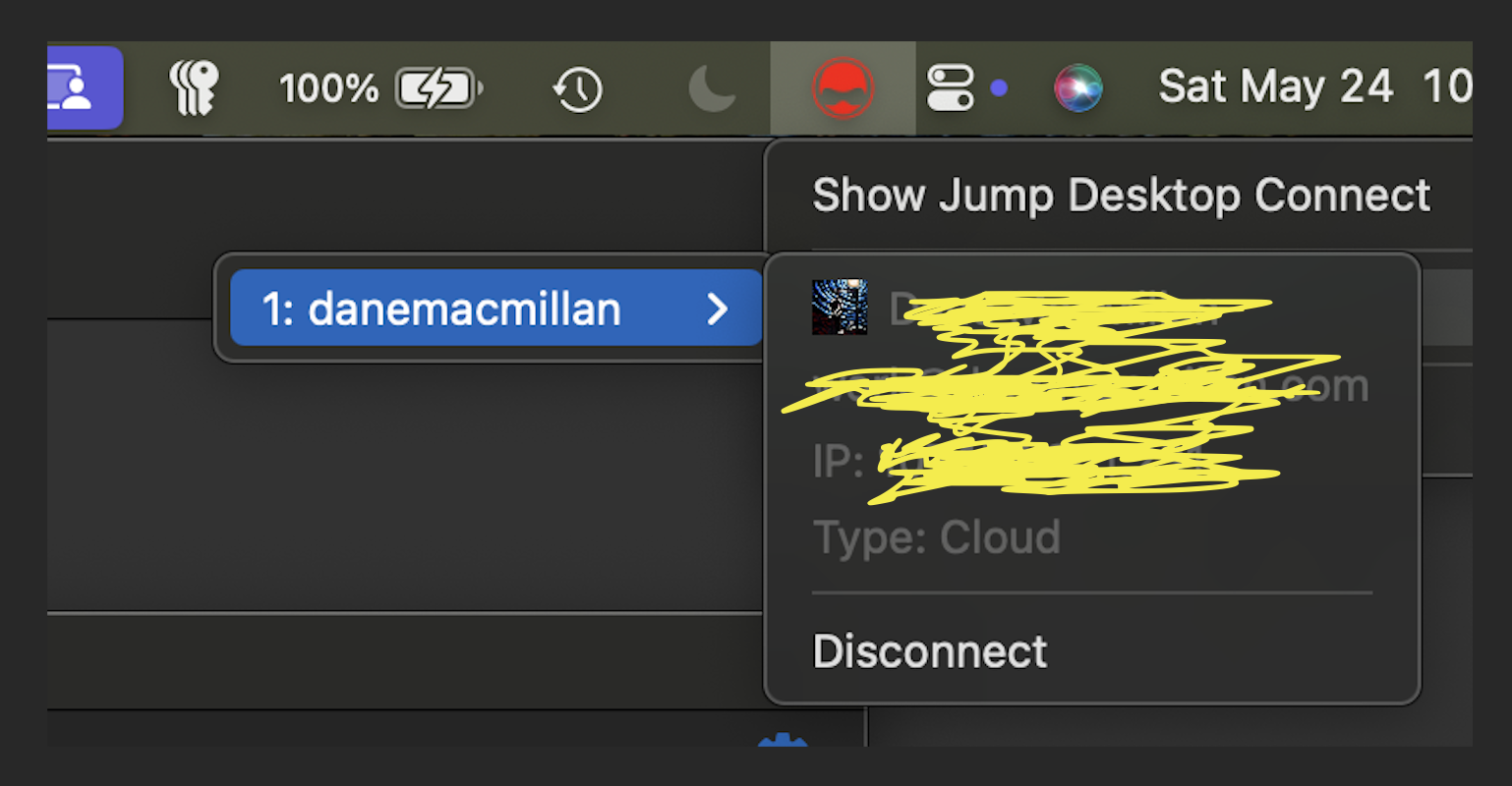
-

Hi, Thank you for reaching out to us.
Are you connecting over Fluid Remote Desktop?
Fluid is quite smart about making sure it creates a direct connection between machines. If the two machines are on the same LAN it will automatically connect the two directly.
Even if you’re on a different network it will try to create a direct connection without involving our servers. It falls back to our relay servers only if it can’t create a direct connection.
In summary: if you’re on the same LAN, Jump will create a direct connection without going over the internet. Make sure you’re on 5ghz WiFi network.
If you're still experiencing latency issues, please send us a support request along with the Jump Desktop logs from your iPad. To do this, first reproduce the problem. Then, go back to the main screen of the Jump Desktop app, tap the gear icon in the top-left corner, select "Contact Support", and follow the steps to send the logs.
Thanks -
Yes, I'm using Fluid, and yes both of my devices are on the same network. As noted, they're right next to each other. Given that under those conditions the "Type: Cloud" is still the connection, assumedly Fluid is not intelligently doing anything. Similarly, my home network is 5GHz.
It is not automatically connecting the two over LAN, or Direct when outside the network. It is simply always "Type: Cloud."
The documentation is sparse on this, too, so there's no clear way to debug. Not to mention, I went nuclear and simply disabled my router's firewall and the firewall on my computer, meaning zero hurdles and left my computer wide open... and yet still the connection is "Type: Cloud," as noted by my post and the screenshot. I assume "Type: Cloud" means it connects through your relay servers, and I assume that because you didn't correct me that this is correct.
I want to see something like "Type: Direct" or "Type: LAN" and I do not currently. Consider this my support request. I'll be sending a link to this discussion from the iPad menu.
Please sign in to leave a comment.
Comments
3 comments