Bring back the android app

-
Official comment

Updated July 13th 2026:
Hi Everyone,
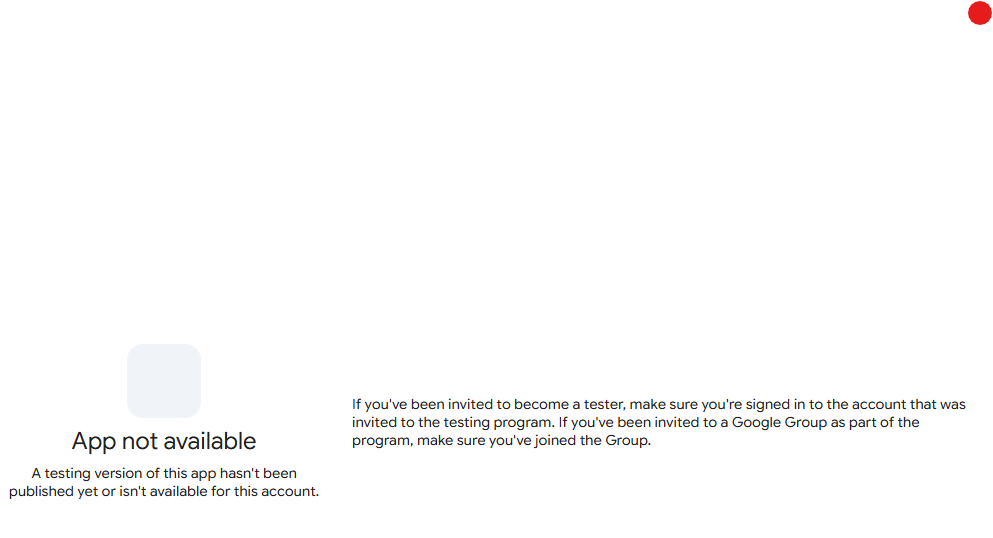
We are happy to announce that we're bringing the Android app back! Thank you for your requests. We are starting an open Alpha test. If you're interested in testing it out, please join here:
https://play.google.com/apps/testing/com.p5sys.jump.android
This is a completely redesigned, 100% native Android app which supports all the features of the upcoming Jump Desktop 10 release - including game controller, virtual monitor and hardware acceleration support. You can now play games at 120fps from your phone or tablet. We highly recommend install Jump Desktop Connect 10 on your host machine.
Please note: Jump Desktop for Android only supports Fluid connections. RDP and VNC support is not included in Jump Desktop Android. If you need access to Linux machines, we are about to start beta testing Jump Desktop Connect for Linux as well.
Comment actions -
that's not the same as having an app that is integrated properly without having to use a web browser to control it. you know it's not the same.
how about actually making an android app? if you guys are capable of making an ios app, then android users should be able to have the same consideration.
how about giving making an android app a shot? that would be better than alienating android users for no reason. -

100% what Michael said.
A web-based client is not the same as a native app, and this is painfully obvious to anyone who has tried to use Jump in a browser. I have an old apk from the early days of Jump, it won't log in anymore, but I look at it in my app drawer from time to time hoping these guys will reverse course and put the app back on Google Play. Until then, I use Jump on an older iPad I keep around just for that purpose. I appreciate what the team tried to do with the web client, and I might even say I'm impressed with what they've pulled off using web technologies, but I would be delighted if they abandoned it entirely and went full-native. Please Jump, stop kidding yourselves that anyone wants to use a browser for remoting in any situation other than an extreme emergency. For real. Please and thank you.
-

I agree. Personally, I have been waiting for 3 years and come back every six months. The requests go back 10 years. Can only assume bad blood between developer and Android. Banned forever? Who knows. I would be delighted to pay the reasonable cost JumpDesktop ($) versus Splashtop, our current paid ($$$$$) app. I would also choose it over currently free, unlimited vendors like Hop2Desk, RustDesk or HelpWire. See you in six months.
-
Hi,
Thanks for sharing your thoughts. We understand and appreciate that everyone has opinions about the Android app and alternatives.
We’d prefer to keep the conversation here focused on Jump Desktop.
In the last couple of weeks, we’ve fixed quite a few bugs in the Android web app and added several improvements:
* Save passwords in the web app
* Add Jump’s My Computers section to your Android home screen
* Create launch icons for specific computers on your home screenThis gives you a one-tap direct connection to your machines straight from your home screen.
To try it out, log in at app.jumpdesktop.com, add it to your home screen, then select a computer, tap Actions, and create a launch icon.
We’re continuing to work on deeper Android integration, with more improvements to come.
-
again, a web app is nothing like an actual working app. You're just refusing to build a proper app. you're adding 1 additional layer of resource instead of having an app that works directly.
I've said this on my first response and i'll say it again because apparently jump desktop doesn't listen or care to listen.
You say you want to keep it focused on Jump Desktop? Then make a real app that actually is the android app, not a web link that i have to go into chrome to log in, then select a computer to access. If you are capable of making an iOS app, then you are capable of making an Android app. If you want to show equal treatment, then go ahead and kill off the iOS app and tell all the iphone users to use the web app. I bet you wont be doing that.
EDIT: ah, i see you deleted my comment because I mentioned other alternatives that have native android apps instead of a web link. How about you guys address the issue head on instead of pawning off your web link as an "app" when it's clearly not an app. That's like facebook telling me to use my internet browser to access their website and call it an "app" .
-
Hi Everyone,
We are happy to announce that we're bringing back the Android app - thank you for your requests. We are starting an open Alpha test. If you're interested in testing it out, please join here:
https://play.google.com/apps/testing/com.p5sys.jump.android
This is a completely redesigned, 100% native Android app which supports all the features of the upcoming Jump Desktop 10 release - including game controller, virtual monitor and hardware acceleration support. You can now play games at 120fps from your phone or table. We highly recommend install Jump Desktop Connect 10 on your host machine.
Please note: Jump Desktop for Android only supports Fluid connections. RDP and VNC support is not included in Jump Desktop Android. If you need access to Linux machines, we are about to start beta testing Jump Desktop Connect for Linux as well.
-
Hi there, just an update: The new Android app was approved on the Google Play Store: https://play.google.com/apps/testing/com.p5sys.jump.android . Please use the link and let us know if you have trouble. Also, any feedback is welcome!
-

I tried the new Android alpha. Logging in was difficult, but the app seems to work fine. I use "Sign in with Google" for Jump Desktop. If you use anything but Chrome (I tried Firefox first), this feature gets to the authentication step after I select my Google account and then just spins in the external browser. If I attempt to open that page in a browser app it authenticates but Jump Desktop doesn't think I'm signed in. Most importantly, you can not try again once it opens a browser and fails- the Sign in Button in Jump Desktop no longer works and you have to reset your phone to try again.

Please sign in to leave a comment.
Comments
14 comments