switch windows desktops while in fullscreen?

Is there away when using windows client in full screen to switch desktops?
I can't seem to figure this out.
Thanks
-
Official comment

Hi,
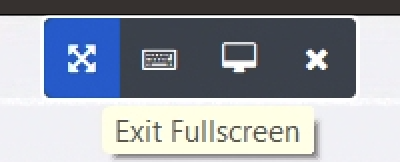
To get out of fullscreen point your mouse to the top middle of the screen and wait for about half a second a and you will see the following menu drop down:
Also, Jump has keyboard shortcuts to exit Fullscreen: Ctrl+Alt+F11. You can discover these shortcuts in File -> Settings -> Keyboard & Mouse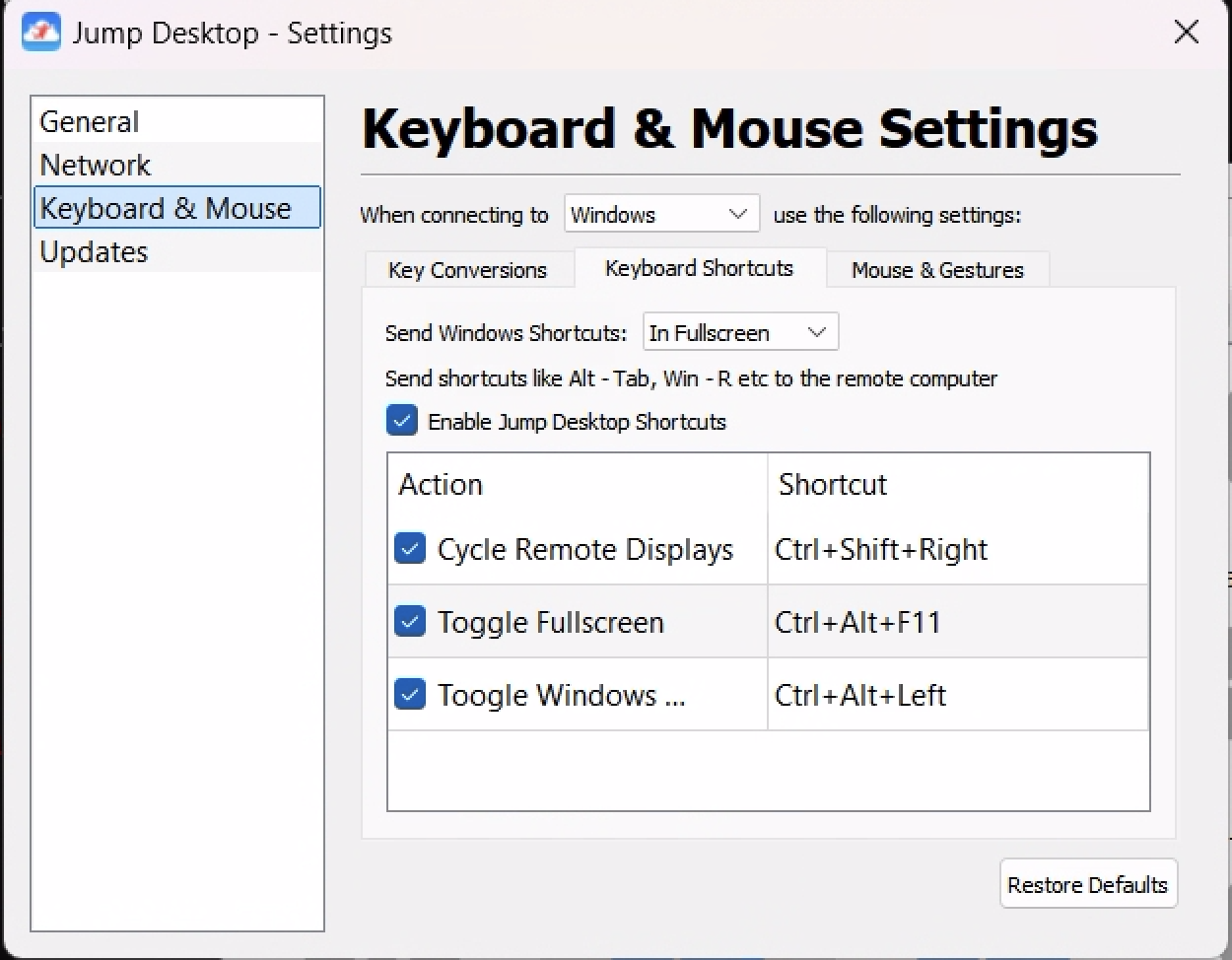 Comment actions
 -

I have tested dozens of remote access, jump is great but this is a deal breaker. many clients have two or three monitors in the architectural biz and cannot support them. Can't even find the "arrow icon" described in another post to get out of full screen. I will check back in 6 months and hopefully some polish on these and other critically functional needs can be addressed. A cheap way to do it might be to spawn another session to connect to the same machine.
-
Thank you for the quick response. I tried and tried but it would not pop up, because the RDP session was full screen on my 32" monitor. I was able to use it from a different computer and good to know about ctrl-Alt-F11. Now about those dual and triple monitors... A reverse virtual monitor option? I can have multiple displays, but only when remoting FROM a machine that has multiple monitors TO .a machine that only has one. But I get stuck remoting FROM a single screen to device with multiple monitors. Windows has a Shift-Win < and > feature to move the open app on the other screen to main desktop, but those keys do not seem to work in jumb. I might try On Screen Keyboard (OSK) next time to get around it.
Please sign in to leave a comment.
Comments
3 comments