Holding Cmd for the list of macros not working

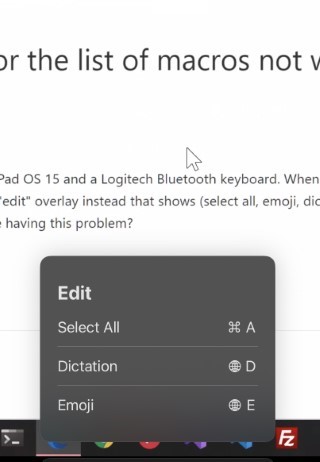
I use an iPad Pro 10.5 inch with iPad OS 15 and a Logitech Bluetooth keyboard. When I hold the Cmd key to show the list of macros, it pops up an "edit" overlay instead that shows (select all, emoji, dictation) options at the bottom center of my screen. Anyone else having this problem?
-
Hello thanks for the quick reply! The app says it is version "9.6.8 (Lander 2) Build 90608"
Also this keyboard (https://www.amazon.com/Logitech-Tablet-Keyboard-for-iPads/dp/B00AFSN4A0) is the one I am using not sure if that matters though :)
EDIT: Maybe my keyboard is too old?

Please sign in to leave a comment.
Comments
3 comments