RDP Clipboard issue

Hi,
I can copy and paste from my Mac to Windows, but all line breaks are removed if I copy text from Windows to Mac. (I didn't test from Mac to Windows)
Is there a way to prevent this??
Regards
Christian
-

For what it's worth, my experience with Jump's support and the software itself was always very satisfying. I've also never had the issue with line breaks.
Perhaps there's something particular about your situation - can you reproduce by opening Notepad on the remote (Windows) side, typing two lines in it, copying, and then pasting to TextEdit.app on your Mac? Do you use the regular RDP (not Fluid) connection? Can you check with another windows remote?
-

@Chris
Can you please let me know the following:
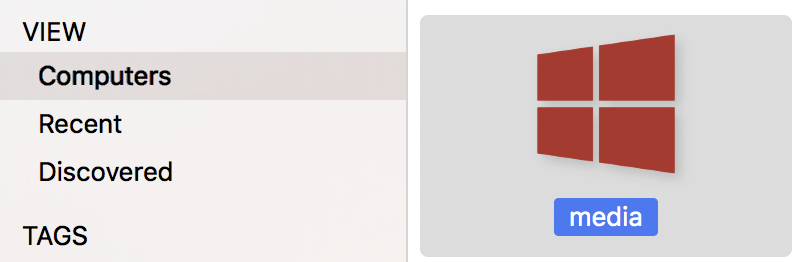
1. On the Mac, is Jump's connection icon RED for your computer? RED means you're using RDP. Light blue means you're using Fluid Remote Desktop
2. Which app are you copying text FROM on Windows and which app are you pasting text INTO the Mac?
-
1. Stupid question. Where can I see the connection icon? I can only see the screen as an icon in Jump Desktop. I use the RDP session as full screen. I also don't have the option in the advanced settings of all my RDP connections.
2. I copied output from a power shell window to Evernote and all line breaks were missing. Now it is still working, but I had this issue for several days until yesterday..!? I also reconnected several times when I had the issue.
-
1. This is what I meant when I said 'connection icon' (unless you've change the icon). That said - you've already confirmed what I needed.
2. We'll give this is a shot and try to reproduce. Generally speaking there is a little bit of conversion that happens internally when you copy paste stuff from Windows to the Mac - and that usually depends on the apps that you're using both ends. We'll try out the powershell scenario to see if we can reproduce and see if we can do something for this in the next update. In the meantime, if you do get a reliable repro, please let us know the details.
Please sign in to leave a comment.
Comments
9 comments