New user access question

Hi, brand new user here. I have two W10 PC that i want to be able to access by an iphone and ipad. But first I am trying to access PC1 from PC2. I have been able to do this successfully but at the moment I have to give permission from the PC I want to see on the other PC. I need to overcome this as I wont always be able to access the screen of the PC I want to see. I have added myself as someone able to access this machine assuming that would overcome it but it still gives me a "Screen sharing request". Can i access the machine without needing to do this ? (sorry if this is a basic question but i cant see the solution to this). Thanks
-
Further to my post from yesterday. It seems that unattended access is possible..... and I do seem to be doing the right thing. I can see my target PC in JumpDesktop and it shows online. But it insists on my granting access from the original machine. Why is it doing that and how can i avoid this step as I think I have followed the intructions carefully. Any help would be appreciated, thanks
-

Hi David,
Thank you for reaching out to us.To set up unattended remote access, please follow the instructions provided in this article: Setup Unattended Remote Access.
Additionally, could you please let us know if you are being prompted for a credentials dialog? If so:
- For Mac users, if you are prompted for Mac credentials, please refer to this help article: Mac Credentials Dialog.
- For Windows users, if you are prompted for Windows credentials, please refer to this help article: Windows Credentials Dialog.
If you have any further questions or need additional assistance, feel free to ask.
-
Hi Abdul
Thanks for the message.and getting back to me.
Yes I am following the Setup Unattended Remote Access. This is what I am seeing in the Jump Desktop app on the PC I am connecting from which shows me the machine I am trying to connect to
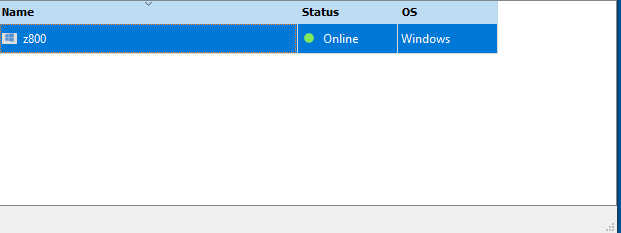
I then get this screen

It will connect but only if I press "Ask to share screen" button and authorise it on the other machine ie its not unattended access
This is where I am stuck and I cant see any settings that can overcome this. Im new to the app so assume I am doing something wrong but I cant presently see it. Hoping you can help from this point, thanks David
Please sign in to leave a comment.
Comments
3 comments